Tape
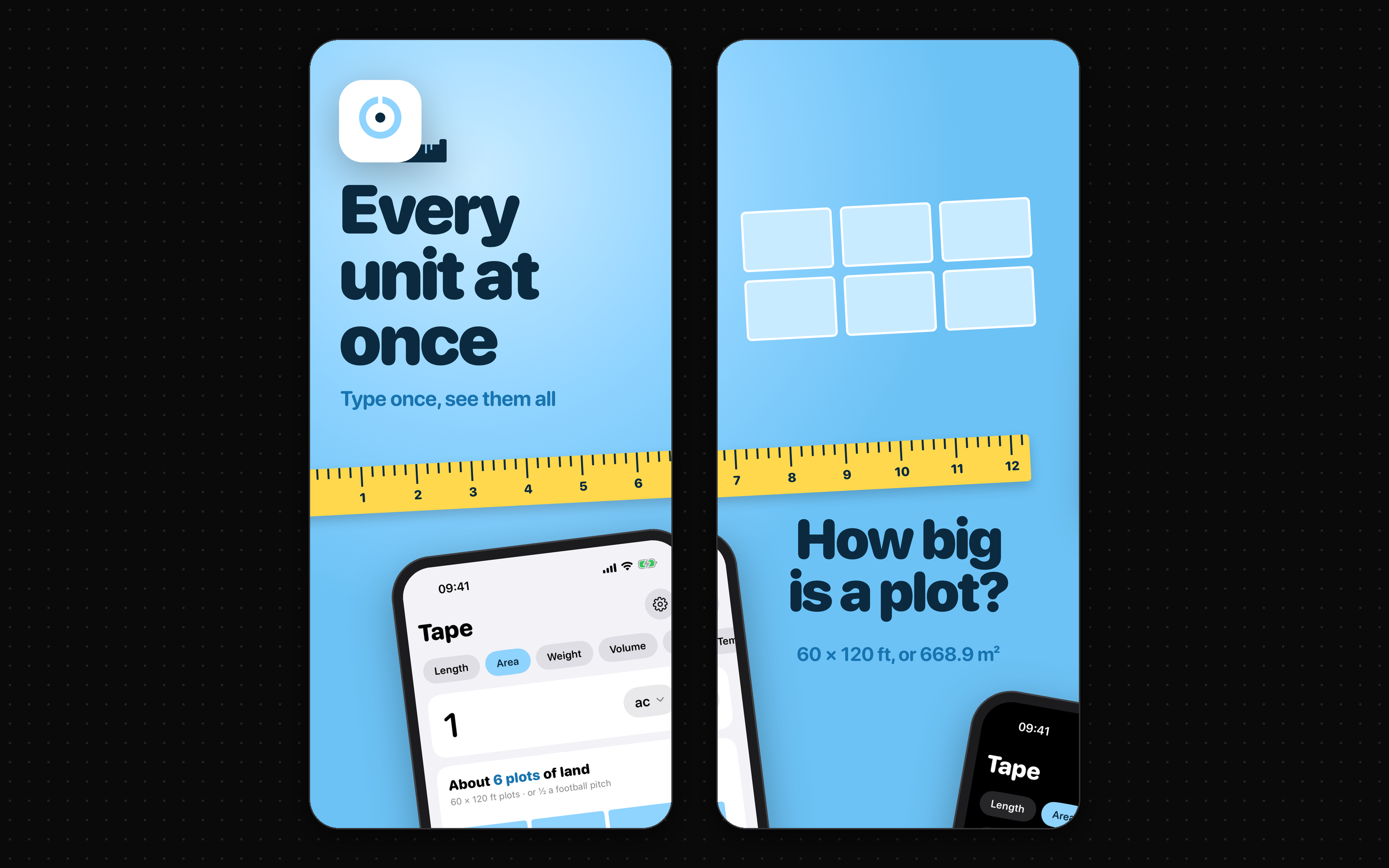
An offline unit converter for iPhone. Type one number and see it in every unit of its category at once, with a drawing that pictures the amount and widgets for the Lock Screen and Home Screen.
iOS Development
2 Weeks

Introduction
An offline unit converter for iPhone. Type one number and see it in every unit of its category at once, with a drawing that pictures the amount and widgets for the Lock Screen and Home Screen.
Work Done
iOS App & Widgets
Challenges
Getting the plot of land right when no law fixes its size and many websites quote the metric 648 m² for a 60 × 120 ft plot, keeping conversions exact where Foundation rounds its coefficients, and showing short numbers without rounding away whole digits.
Solutions
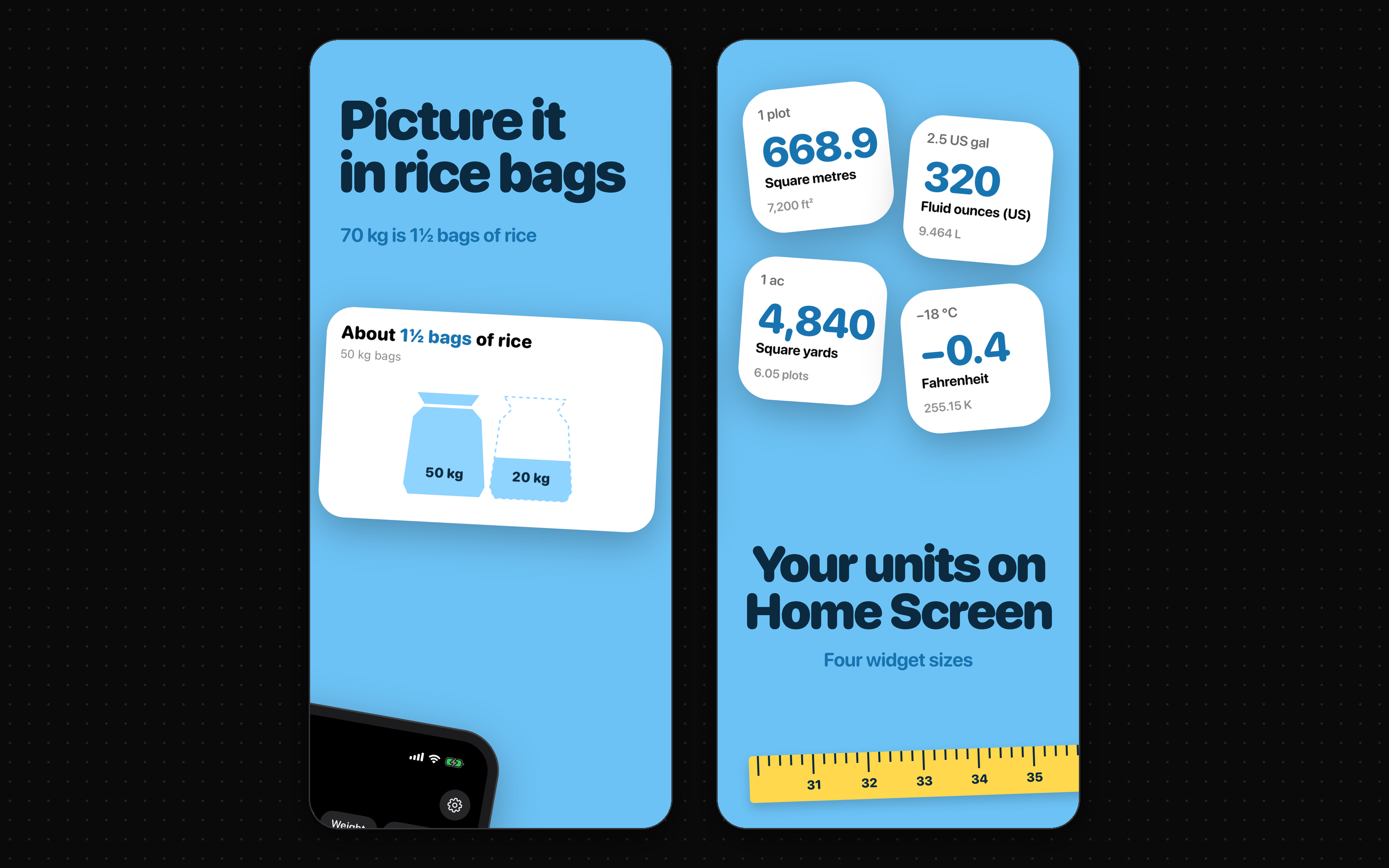
The plot is a setting, 60 × 120 ft by default, built into a Foundation UnitArea at runtime. The pound and US gallon use their legal definitions. Results round through Decimal to four significant figures, and negatives use a true minus sign everywhere.
Results
Open source on GitHub under MIT, built in Xcode and run on your own phone rather than from the App Store. Six categories, the Picture it drawing, an opening animation that fades under Reduce Motion, four widget families sharing settings through an App Group, and 139 Swift Testing tests on the pure logic.
Details
Why I built it
I wanted a unit converter that keeps working with no signal and knows the unit people around me buy land in, the plot. Tape is that, for iPhone. You type one number, pick its unit, and every other unit in that category is listed underneath. There is no network code in it at all.
The plot is a setting
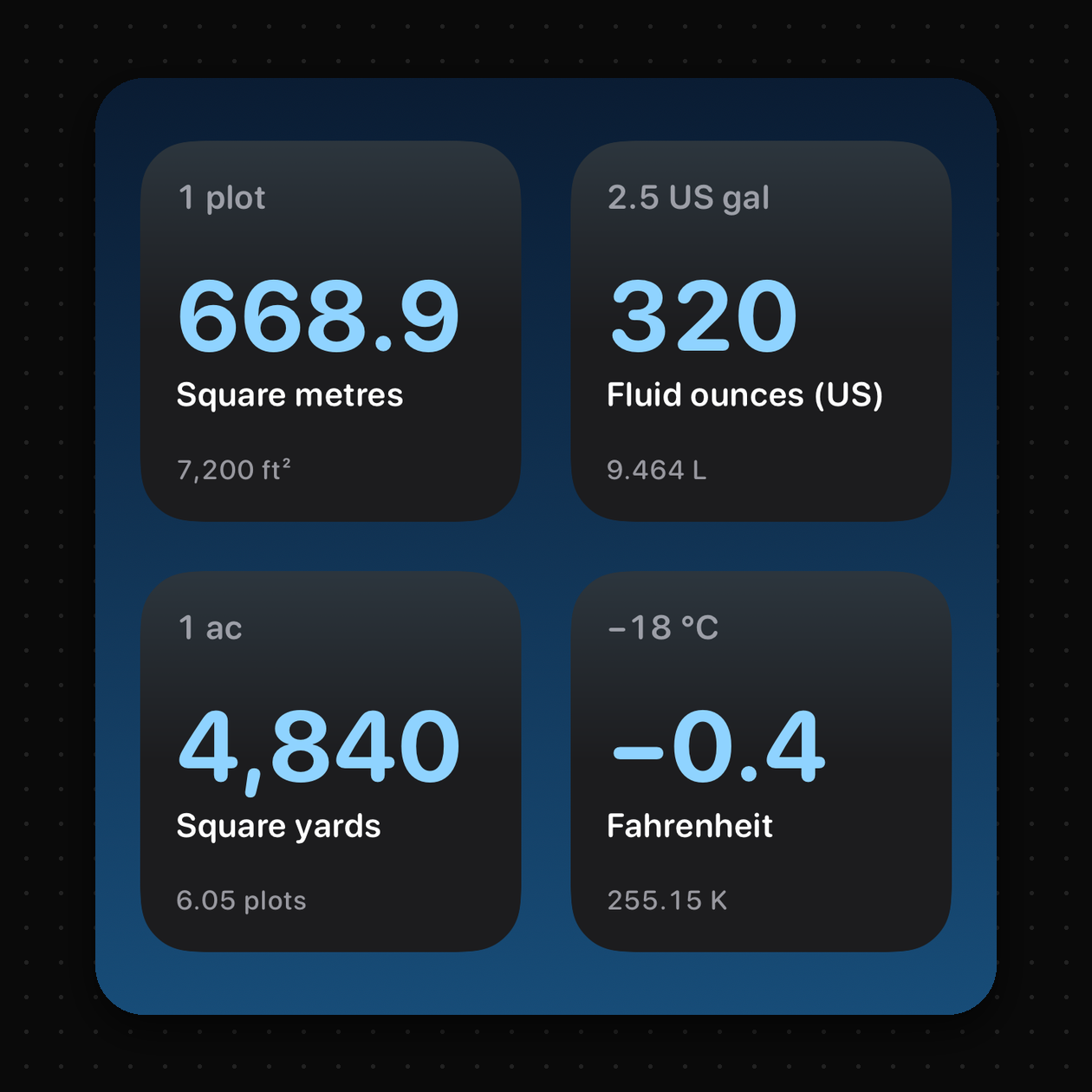
In Lagos and Abuja a plot is usually 60 × 120 ft, which is 668.9 m². Plenty of websites say 648 m², but that's the metric 18 × 36 m plot. No law fixes the size, so the plot is a setting: 60 × 120 ft by default, two other presets, or any width and length you type. The plot unit is a Foundation `UnitArea` built at runtime from whichever size is chosen.
Exact units, readable numbers
Foundation rounds a few coefficients. Its pound is 0.453592 kg, so Tape defines the pound and the US gallon with their legal values, plus the 240 ml cup Foundation doesn't have. Results round through `Decimal` to four significant figures without dropping whole digits. 7,200 ft² stays 7,200, and 0.1 + 0.2 shows as 0.3.
Picture it
Under the number, a drawing compares the amount with something you already know, like a plot of land or a 50 kg bag of rice. The object comes from a ladder of sizes, so 10 g is Maggi cubes and 100 t is cars. That logic is pure Swift with no views in it, and every threshold has a test.

Tope Akintola
November 8, 2026
iOS Development
Let's Work
Together

Have a project in mind? We'd love to hear about it. Let's create something great together!